Managing Comments
So you've managed to setup Pure Comments and you've customised it's theme so it looks beautiful with your blog. Now you need to know how to actually manage comments.
If you've configured email notifications with Amazon SES (strongly advised), you will receive a notification when someone leaves a comment on one of your posts that looks like this:
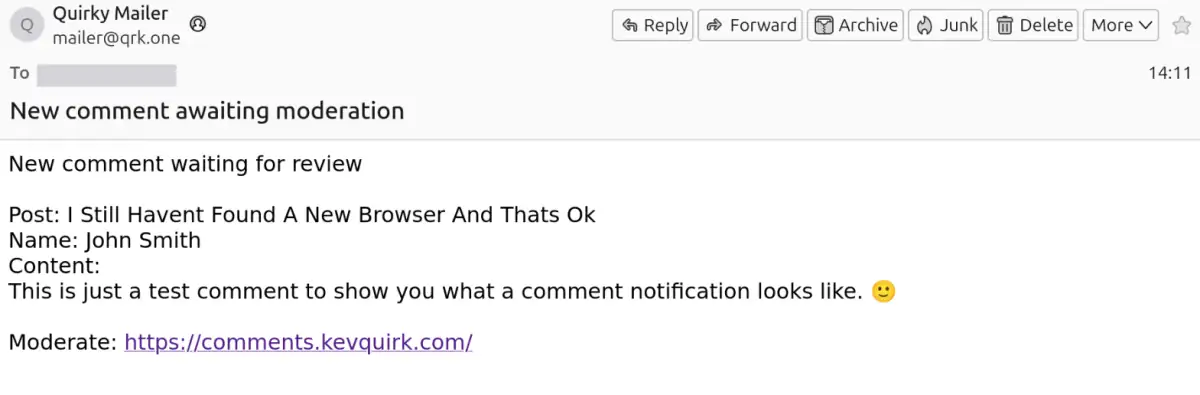
The bottom of the notification contains a link to go and moderate the comment, which after logging in will show in the pending comments section:
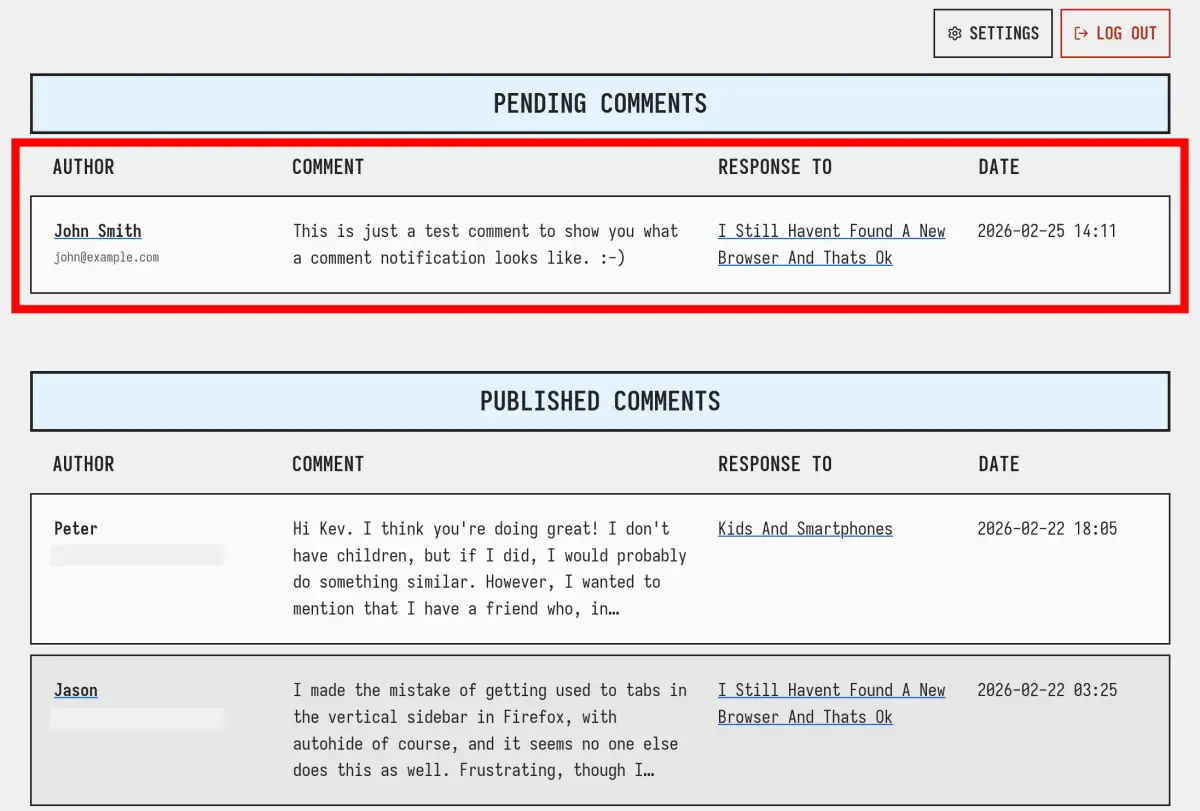
From here you can expand the pending comment to view the whole thing and moderate it. You can Publish the comment, which will make it visible on your blog post, Delete the comment if it's spam, or Reply to the comment.
Replying to the comment will also publish it, so you don't need to publish it, then reply.
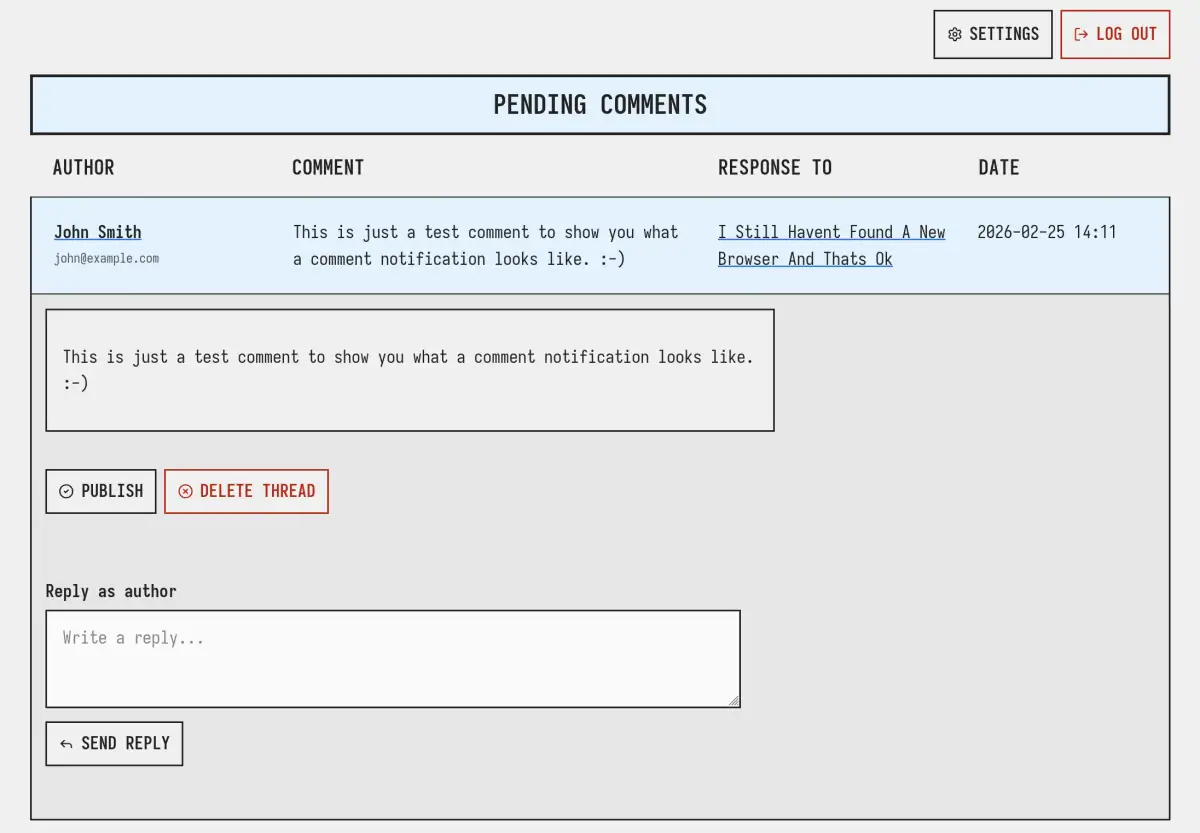
Once a pending comment has been published, it will be moved to the Published Comments section of the dashboard.
Managing replies
Replies to an existing comment will also appear in the Pending Comments section, so you can moderate them. Once a reply has been published, it will move to the Published Comments section, but will be nested within the conversation the reply is a part of.
Here's what a conversation looks like in Pure Blog:
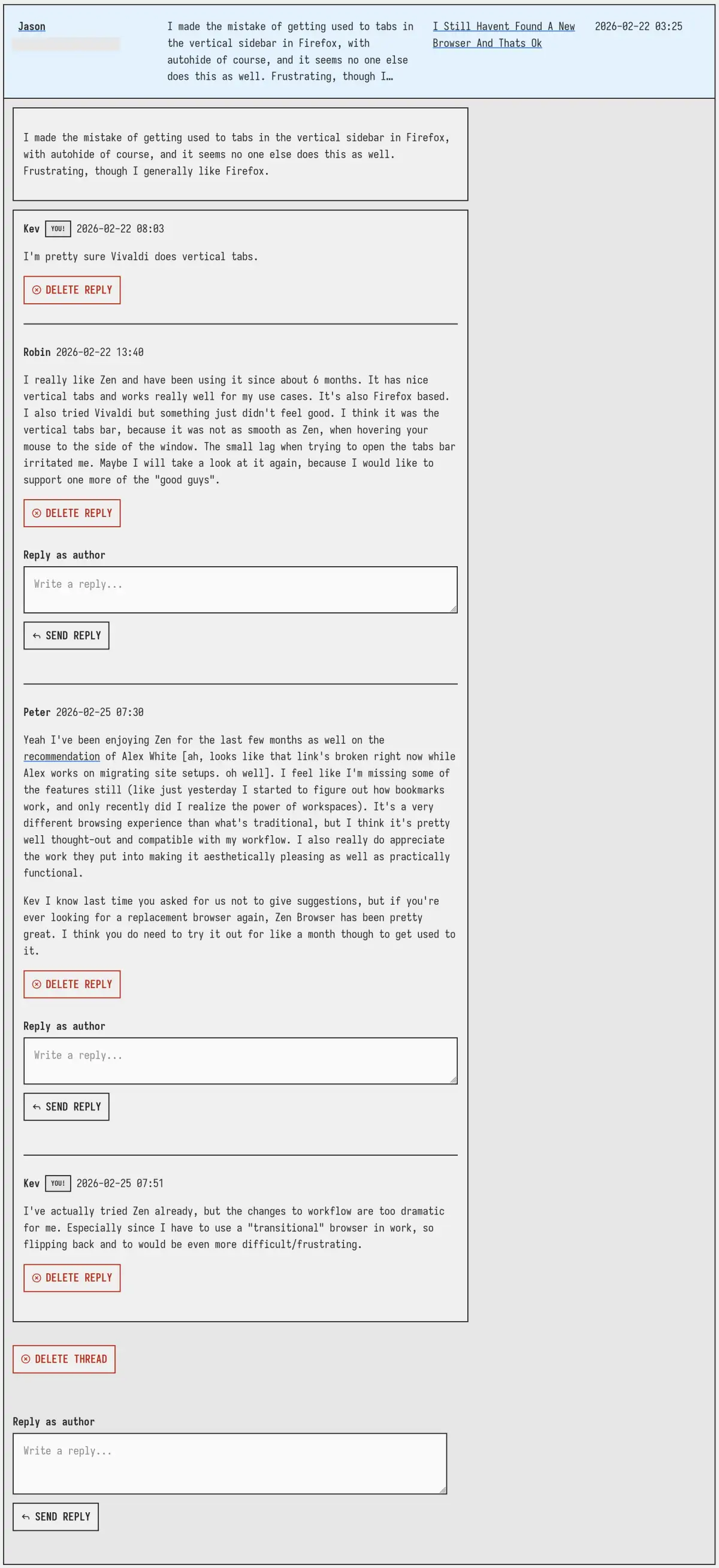
Within a comment thread you can delete the entire thread, delete specific replies, and reply to any comment in the thread.